Kriya Payments Bangladesh Deposits And Withdrawals
Updated
Kriya payments are designed around mobile wallets commonly used in Bangladesh. This guide explains how to deposit, withdraw, check wallet balances, and resolve transaction issues. It covers bKash, Nagad, Rocket, Upay, account verification, and payment details. Check the cashier for available channels, limits, processing times, and any instructions shown for your account before confirming a transaction.
Payment Methods Available In Bangladesh
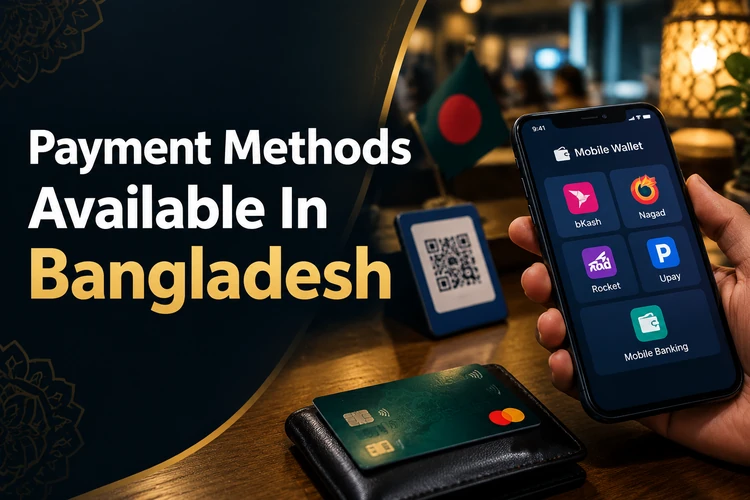
The Kriya cashier may show bKash, Nagad, Rocket, Upay, and other channels available for your account. Each option can have its own instructions, limits, and confirmation flow.
- bKash – mobile wallet option, when listed in the cashier.
- Nagad – digital wallet option, subject to the channel shown for your account.
- Rocket – mobile banking option that may be available for BDT payments.
- Upay – digital wallet option displayed when supported by the cashier.
- Other cashier channels – follow the exact instructions shown before payment.
Availability should be checked after login rather than assumed from a general list. The cashier is the current reference for kriya payments in Bangladesh, including any minimums, maximums, and processing notes.
How To Make A Deposit
Open the account cashier and choose Deposit. Enter an amount within the limits shown on screen. Select a supported channel and read its payment instructions carefully.
- Open Deposit from the cashier.
- Enter the amount in BDT.
- Select the available channel.
- Complete payment in the wallet or banking interface.
- Return to Kriya and check the balance.
Keep the transaction reference until the balance updates. A completed wallet payment does not always mean the casino balance updates immediately. If the status remains pending, avoid sending another payment until the first transaction is checked.
Kriya Payment Methods Compared
The table below compares the main channels named in the cashier information. All listed methods use BDT in this overview, but availability and limits still need confirmation in your account.
| Method | Type | Currency |
|---|---|---|
| bKash | Mobile wallet | BDT |
| Nagad | Mobile wallet | BDT |
| Rocket | Mobile banking | BDT |
| Upay | Digital wallet | BDT |
Choose the method you can verify easily and use under the correct account name. A familiar channel can reduce data-entry mistakes, but it does not guarantee a faster settlement. Check the confirmation page before leaving the cashier.
How Withdrawals Work
Withdrawals begin in the cashier after you select Withdraw. The available route, limits, and verification requirements appear before submission. Use payment details that match your account.
- Open Withdraw in the cashier.
- Enter an amount within the displayed limit.
- Enter the withdrawal password if requested.
- Add the required payment details.
- Review the information and submit the request.
Check the request status in your account history. A withdrawal can remain pending while details are reviewed. If it is rejected, read the stated reason before making another request.
Central Wallet
Kriya uses a central wallet to show the balance linked to your account. Deposits and eligible bonus credits can appear in the same account area, helping you track available funds in one place.
The usable amount can depend on transaction status and the terms attached to a bonus. Review the wallet history and any displayed wagering conditions before requesting a withdrawal. Do not treat a pending credit as cleared funds.
Payment Verification And Account Details
Payment details should match the name and information registered on your Kriya account. Use your own wallet or banking account where the cashier requires matching ownership.
Verification may be requested before a first withdrawal or when account details need confirmation. Follow the document instructions shown in the account area, and submit clear, current information through the stated channel.
A wrong wallet number, spelling difference, or missing field can delay a request. Check the recipient number and account name before you confirm payment. Never send identity documents through an unverified contact.
Transaction Problems And Support
A pending deposit may result from a wallet delay, an incorrect reference, or a balance update that has not completed. First check the transaction history in your payment app and note the reference number.
If money was deducted but the Kriya balance is unchanged, contact the available support channel with the transaction reference, amount, time, and payment method. Do not share your PIN, one-time password, or full login password.
For a rejected withdrawal, review the reason shown in the cashier. Common checks include account details, verification status, limits, and any applicable bonus conditions. Correct the issue and submit again only after the account information is accurate.
FAQ
The cashier may show bKash, Nagad, Rocket, Upay, and other available channels. Log in to see the current options, BDT limits, instructions, and any account-specific payment requirements.
Open Deposit, enter the BDT amount, select a listed channel, and complete payment in the wallet interface. Return to Kriya and check the balance. Keep the transaction reference if the credit is delayed.
Withdrawal routes depend on the cashier rules and account checks. Use payment details registered to you, and confirm whether another wallet is allowed before submitting. The available route and requirements appear in the withdrawal form.
A request may need verification, contain incorrect details, exceed a displayed limit, or be affected by applicable bonus conditions. Read the cashier reason, correct the information, and contact support with the request reference if needed.
Check your wallet history first and save the transaction reference. If the deduction is confirmed but the Kriya balance is unchanged, contact support with the amount, time, method, and reference. Do not send a second payment before review.